
Run your startup from one workspace — with an AI team from day one.
Plan the product, set the company goals, keep your CRM and stay in sync, without paying for five separate tools. Early-stage? Our Startup Program helps you get started.
Free plan, no credit card · Pro free for 14 days
A plan that fits your stage.
Early-stage and bootstrapped? Tell us about your startup and we’ll find a plan that fits your stage.
- Write to us with your company, your stage and your team size.
- We reply with a plan that fits.
- You start working — on your own workspace, with your own data.
The whole company, in one place.
From the first roadmap to the investor update.
Plan the product and the launch
Projects with board, list and calendar views, milestones for every release, and recurring tasks for the rituals. Lucy turns your meeting notes into tasks.
Set company goals that the work rolls up to
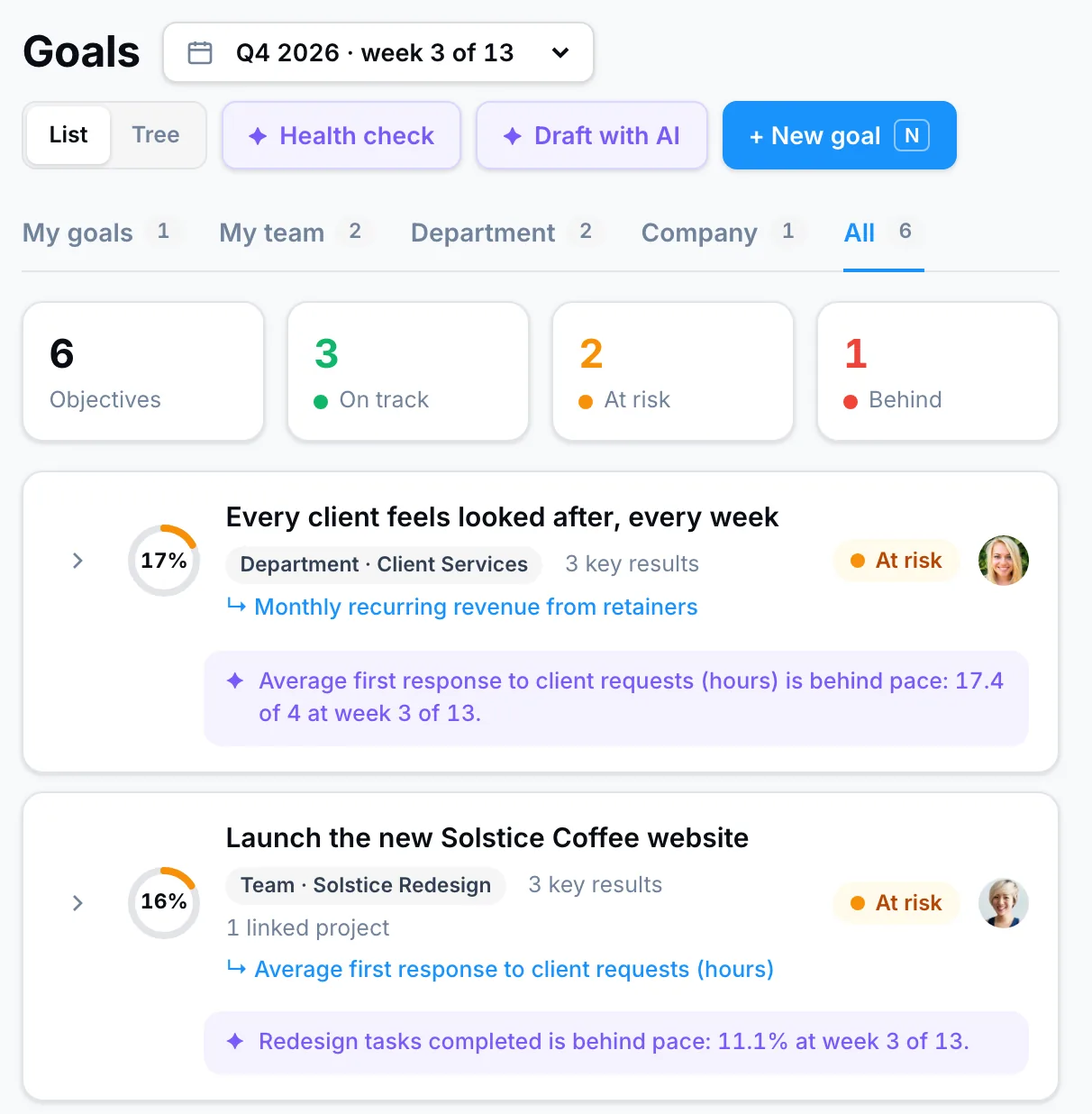
Company, team and personal goals with key results. Feed them from Stripe, HubSpot or Google Sheets, and Lucy tells you what is behind pace.
Keep your CRM — Lucy works with it
PeerBie is not a CRM. Connect HubSpot, Salesforce or Pipedrive, and Lucy and AI employees look up and add contacts, deals and notes there.
Write the investor update in minutes
Lucy writes Word, PDF and Google Docs from your projects, goals and notes. Check how long your money lasts with the free runway calculator.
“PeerBie brought order and clarity to our development process and aligned our teams to deliver on time — letting me focus on the big picture.”
Questions from startups.
How do I apply for the Startup Program?
Contact us and tell us about your company, your stage and your team size. We’ll come back to you with a plan that fits.
Is PeerBie a CRM?
No. PeerBie connects to HubSpot, Salesforce and Pipedrive, and Lucy and AI employees can look up and add contacts, deals and notes there.
How much do AI employees cost?
Lucy and every AI employee you hire come with the Lucy AI add-on, $20 per user a month on Pro and above. With Pro at $15, that is $35 per user a month, billed annually. There are no credits and no per-agent fees.
What does PeerBie cost?
Starter is free. Basic is $10 and Pro $15 per user a month, billed annually ($13 and $19 billed monthly). Lucy and AI employees come with the Lucy AI add-on, $20 per user a month on Pro and Enterprise. You can try Pro free for 14 days. See pricing.
Which devices does PeerBie work on?
PeerBie runs in the browser and has apps for iPhone and Android.
Build the company, not the tool stack.
Apply for the Startup Program, or start free today and move to Pro when the team grows.