
Plan campaigns, ship content, keep every launch on time.
Campaign plans, content approvals, client calls and results in one workspace — with an AI social media manager who drafts posts and publishes them once you approve.
Free plan, no credit card · Web, iPhone and Android
Four jobs, one workspace.
No separate tools for the plan, the approvals, the meeting notes and the numbers.
Run campaigns and launches
Projects with list, board, calendar and Gantt views. Milestones for launch dates, recurring tasks for the weekly content cycle.
Get content signed off
Share drafts on the company feed with up to 5 documents attached, decide with a poll, or route them through a workflow with an approval stage.
Turn briefs and client calls into tasks
Lucy takes notes in your Zoom, Google Meet and Teams calls. Action items become tasks with owners, and she drafts the follow-up email for you to send.
Track the numbers that matter
Set goals and key results for the team. Feed key results from HubSpot, Google Sheets or Salesforce, and Lucy flags what is behind pace.
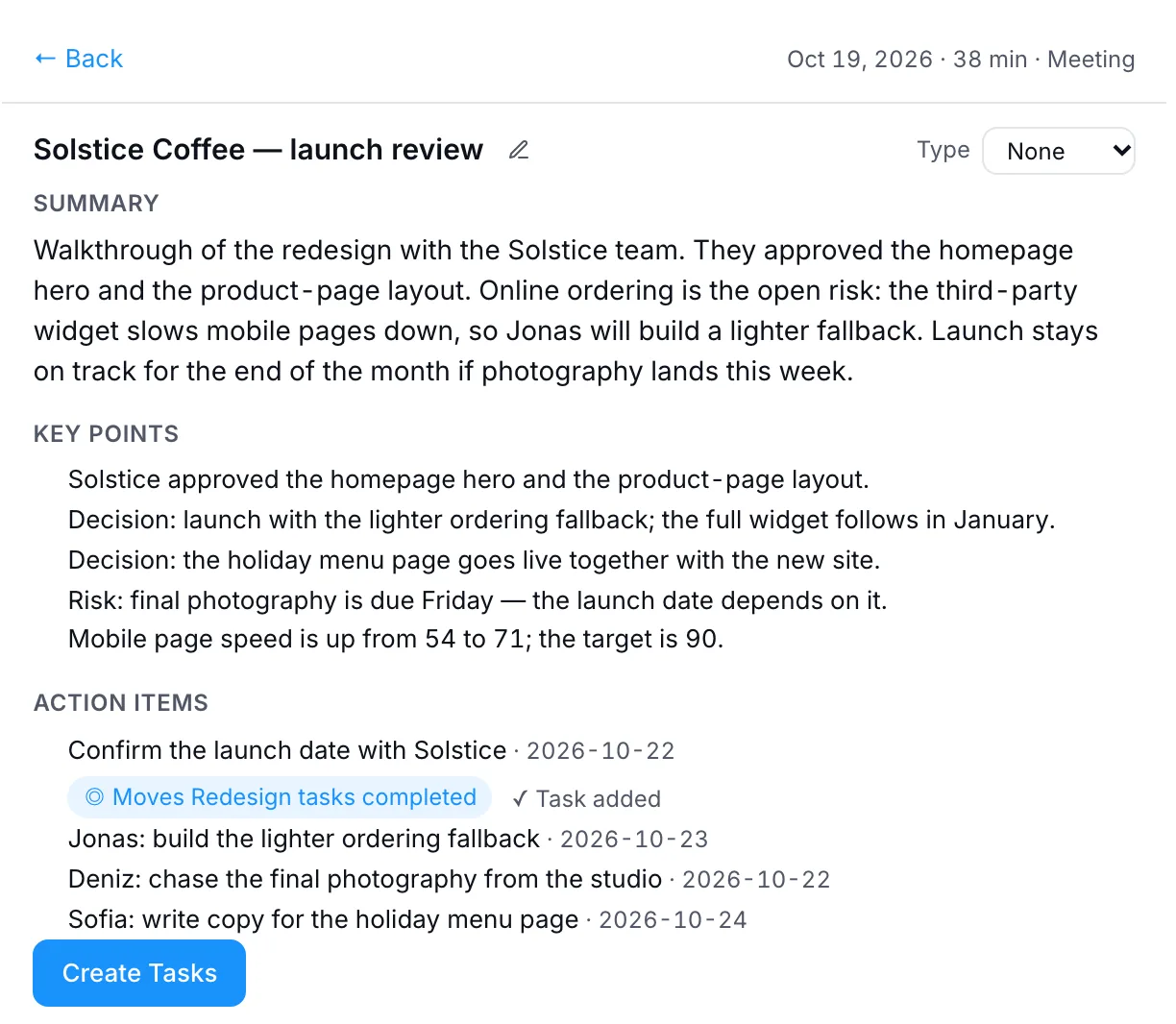
From the client call to the task list.
After a launch review, the summary, key points and action items are already filed. One click turns them into tasks for the team.
- Notes in your calls — Zoom, Google Meet and Microsoft Teams.
- Clients as guests — invite them into the shared spaces you set up for them.
- 30+ integrations — HubSpot, Mailchimp, LinkedIn, Instagram, X, Notion and more.
“With PeerBie we didn’t just optimize our marketing processes — we made a positive impact on revenue.”
Questions from marketing teams.
Can PeerBie publish to social media?
Yes, with the Lucy AI add-on. An AI employee such as a social media manager drafts posts with images for LinkedIn, Instagram and X and publishes them after you approve. You connect each account once.
Does it work with HubSpot and Mailchimp?
Yes. PeerBie has 30+ integrations with real actions, including HubSpot, Salesforce, Pipedrive, Mailchimp, Intercom and Notion. Lucy and AI employees can, for example, look up and add HubSpot contacts and notes. See all integrations.
Can we work with clients and freelancers?
Yes. Invite them as guests with the external role and add them to the shared spaces you set up for them. Basic includes 2 guests, Pro 5 and Enterprise unlimited.
What does PeerBie cost?
Starter is free. Basic is $10 and Pro $15 per user a month, billed annually ($13 and $19 billed monthly). Lucy and AI employees come with the Lucy AI add-on, $20 per user a month on Pro and Enterprise. You can try Pro free for 14 days. See pricing.
Which devices does PeerBie work on?
PeerBie runs in the browser and has apps for iPhone and Android.
Run your next launch in PeerBie.
Start free, or walk around the live demo first. Add Lucy and Skyler on Pro whenever you are ready.